


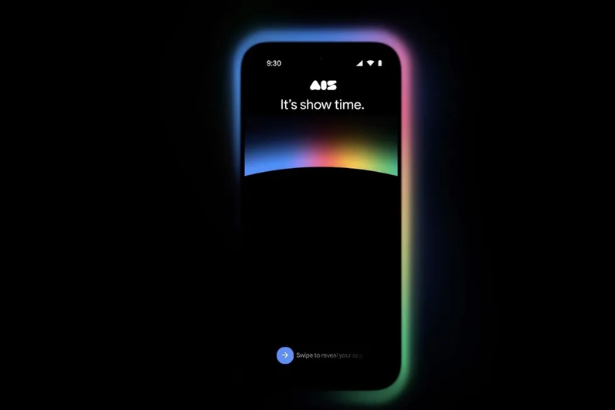
Google AI Studio Android apps 2026 is the announcement at Google I/O that changes who can build for the world’s largest mobile operating system. Starting today, anyone can build native Android apps directly in the Google AI Studio web interface — no software to install, no SDKs to manage, no local environment required. Describe your idea in plain language, and AI Studio generates production-quality Kotlin code using the latest Jetpack Compose patterns. An Android emulator runs in your browser so you can preview the app as it builds. When you’re ready, a single click uploads it to Google Play’s Internal Test Track. Google has also announced a mobile AI Studio app available for pre-registration, integration with Google Workspace, Google Antigravity export, Nano Banana custom asset generation, and two free Cloud deployments for new builders. Here is everything announced at I/O 2026.
Native Android App Building in the Browser: How It Actually Works
The centerpiece of the Google AI Studio Android apps 2026 announcement is the ability to build fully native Android apps without the traditional development environment barrier. Native Android development once required a high-performance computer and deep technical knowledge. Now, with AI Studio, you can go from prompt to fully native Android app on your own device in minutes.
The process begins by selecting “Build an Android app” in AI Studio’s build tab and describing your idea in natural language. AI Studio generates production-quality Kotlin code using the latest Jetpack Compose pattern — the same framework that professional Android developers use in production apps. The apps support hardware sensor integration including GPS, Bluetooth, and NFC, meaning this is not a toy prototyping environment for simple screens. It is a capable native app builder from a browser tab.
The in-browser emulator lets you preview and interact with the app as it builds — no USB cable, no physical device required for the preview phase. When you want the app on your actual Android phone, you connect your device over USB and use the integrated Android Debug Bridge (ADB) to install it directly. For those taking the next step, AI Studio can automatically create the app record, package the bundle, and upload it to an internal testing track in Google Play Console for developers.
The Competitive Context: Cursor, Replit, Lovable, and Claude Code
The Google AI Studio Android apps 2026 announcement lands squarely in the middle of the most competitive vibe-coding market ever assembled. By offering the ability to essentially vibe-code Android apps via web-based tools, Google is ramping up competition with other AI-powered development tools like Cursor, Replit, Lovable, Claude Code, and others, while also opening up Android development to a new type of user: a non-technical creator.
The differentiation Google is staking out is specifically the native Android output. Cursor and Lovable primarily produce web apps. Replit has broader language support but no direct pipeline to Google Play. Claude Code operates at the command line. Google AI Studio Android apps 2026 produces native Kotlin, runs in a browser, and ships directly to Google’s own distribution platform with a single click. That combination — native code, web interface, integrated distribution — is not replicated anywhere else in the current market.
What You Can Actually Build
Google’s own framing of what makes sense to build with AI Studio’s new Android capability is specific: personal utilities and simple social apps, hardware-enabled experiences using GPS, Bluetooth, or NFC, and AI-powered experiences that leverage on-device Gemini capabilities.
The hardware sensor support is the most differentiating element of that list. A web app built in Lovable cannot access a phone’s GPS to build a location-aware utility. A Replit project cannot pair with a Bluetooth device. Google AI Studio’s native Kotlin output can do both — and do it with the same code quality that a professional developer would produce using Android Studio.
The “AI-powered experiences” category is where Gemini’s on-device capabilities create a specific moat. Apps built in AI Studio can integrate with Gemini natively, creating experiences that are not easily replicable on iOS or in cross-platform frameworks.
Google Antigravity: The Local Development Export
For developers who want to move their AI Studio project into a full local development workflow, Google has announced direct export to Google Antigravity — the company’s new local development environment announced alongside the Googlebooks platform.
You can now export directly to Google Antigravity. Your conversation history, project files and secrets all come with you, so you can pick up exactly where you left off, bring in your wider team and start scaling your development workflow.
The conversation history inclusion is the most thoughtful detail of the Antigravity export. When a developer moves a project from AI Studio to a local environment, they typically lose the context of all the prompting and iteration that produced the current codebase. The Antigravity export preserves that context, allowing team members who join the project later to understand not just what the code does but why it was built the way it was.
Google Workspace Integration: Build on Your Own Data
The Google AI Studio Android apps 2026 announcement extends the platform’s integration with the broader Google ecosystem in a direction that matters for enterprise builders. Google Workspace is now directly accessible from the apps you build within AI Studio. With this integration, you can build dashboards on top of your Sheets data, create tools that organize your users’ Drive or spin up apps that work with the documents and data your team already lives in.
A team that has been managing project data in Google Sheets can now build a custom mobile dashboard on top of that data without involving an external development agency or waiting for an engineering sprint. A business that stores client documents in Drive can build a custom mobile app that searches and surfaces those documents in a workflow-specific interface. The Workspace integration makes AI Studio a business application builder, not just a personal project tool.
Nano Banana: Custom Asset Generation
The AI Studio Build agent can now automatically generate custom images on the fly using Nano Banana — Google’s image generation model for in-context asset creation. This allows builders to create tailored interfaces or mock up specialized use cases without needing external placeholder assets.
The new edit tool also lets you annotate directly in the preview window. You can draw on your app, tweak components and generate new visuals to iterate on your build, right in the flow. The combination of AI-generated code, AI-generated assets, and in-preview editing tools means the entire build cycle — from concept to visual to working prototype — now lives inside a single browser session.
The AI Studio Mobile App: Build From Your Phone
For builders who want to work away from a desk, Google announced a full mobile AI Studio app available for pre-registration today at ai.studio/mobile.
With the Google AI Studio app, you can start on mobile on the go and then go deep in the flow when you’re back at your desk. The mobile app supports remixing apps from the mobile gallery for inspiration and sharing live deployments with friends to gather feedback and collaborate.
The mobile app is not a limited viewer. It carries the full build-mode experience to the phone. Someone who gets an idea at 11 PM can open the AI Studio app, prompt their way to a working prototype, share it with friends for feedback, and return to the desktop version the next morning to polish and deploy.
Ask Play and Gemini App Discovery
The Google AI Studio Android apps 2026 ecosystem story does not end at building. Google also announced two distribution-side features designed to help apps built in AI Studio find audiences.
A new “Ask Play” AI-powered overlay allows users to discover new apps by having natural conversations with AI within the Play Store. Apps built with AI Studio will be surfaced within Gemini assistant conversations on the web and Android in the weeks ahead — exposing apps to millions of users through conversation rather than search. Later this year, Gemini will also surface over 450,000 movies and TV shows plus where to livestream sports, linking users from their queries directly to developer apps containing the relevant content.
The discovery pipeline is as significant as the building pipeline. An app that cannot be found is effectively invisible. Google is wiring AI Studio app output directly into the most powerful distribution channel on Android — Gemini — and bypassing the traditional Play Store ranking and metadata optimization game entirely for early-stage apps.
Broader Implications: Who Gets to Build Android Apps Now
The Google AI Studio Android apps 2026 announcement fundamentally changes the answer to the question “who can build Android apps?” Native Android development has historically required knowledge of Java or Kotlin, understanding of the Android SDK, a capable development machine running Android Studio, and at minimum several weeks of setup and learning before a first working prototype. Every one of those barriers disappears today.
The category of person this enables is not just the professional developer who wants to prototype faster. It is the teacher who wants to build a quiz app for their students. The small business owner who wants a branded utility for their customers. The creative professional who had an idea for a hardware-enabled experience but never learned to code. Google is making the case that those people are the next wave of Android developers — and that the path from their idea to the Play Store can be measured in minutes rather than months. For more on the biggest stories in AI and technology, visit The Tech Marketer.
Latest Updates
Google AI Studio Android apps 2026 launched at Google I/O on May 19. Here is where to follow the full story:
- Google Blog has the complete official AI Studio I/O 2026 announcement from product leads Ammaar Reshi and Mike Taylor-Cai, covering all features: native Android vibe coding, Antigravity export, Workspace integration, Nano Banana assets, the mobile app pre-registration, two free deployments, and Ask Play discovery. Read more at Google Blog
- TechCrunch has the full analysis from Sarah Perez of the competitive implications of Google AI Studio’s native Android app builder, including the comparison to Cursor, Replit, Lovable, and Claude Code, and the roadmap for Firebase integration and friend/family publishing. Read more at TechCrunch
- The Verge has the full review of the Google AI Studio mobile app announcement, including the pre-registration details, the mobile build experience, and what an Android-native AI Studio app means for the vibe-coding category. Read more at The Verge
FAQ: Google AI Studio Android Apps 2026
1. What did Google announce for AI Studio at I/O 2026? At Google I/O 2026, Google announced native Android app building in AI Studio — allowing anyone to generate production-quality Kotlin apps using Jetpack Compose directly in a web browser, with an in-browser Android emulator, ADB device installation, and one-click upload to Google Play’s Internal Test Track. Additional announcements include a mobile AI Studio app, Google Antigravity export, Google Workspace integration, Nano Banana custom asset generation, and two free Cloud deployments.
2. Do I need to install Android Studio or any software to build Android apps in Google AI Studio? No. The entire Android app building experience runs in the browser. There is no software to install, no SDK to manage, and no local environment needed. You describe your app in natural language, AI Studio generates the Kotlin code, and an Android emulator runs in the browser so you can preview it immediately. Installing the app on a physical Android device requires a USB connection using ADB.
3. What programming language and framework do Google AI Studio Android apps use? Google AI Studio generates apps using Kotlin — the official Android programming language — and the Jetpack Compose UI toolkit. The company says these are “production-quality” code outputs using the latest Jetpack Compose patterns, not simplified or toy code. Apps support hardware sensor integration including GPS, Bluetooth, and NFC.
4. What is the Google AI Studio mobile app? Google announced a mobile version of AI Studio at I/O 2026, available for pre-registration at ai.studio/mobile. The mobile app brings the full build-mode experience to a phone, allowing creators to iterate on code and preview builds on the go, remix apps from the mobile gallery, and share live deployments for feedback. Users can start a project on mobile and continue on desktop seamlessly.
5. What is Google Antigravity and how does it connect to AI Studio? Google Antigravity is Google’s new local development environment, announced alongside the Googlebooks laptop platform. AI Studio projects can now be exported directly to Antigravity with a single click, carrying the full conversation history, project files, and secrets along with the code. This allows teams to move from AI Studio’s rapid prototyping environment to a full collaborative local development workflow without losing the context of how the project was built.